
INTRODUCTION #
This is a vital section in setting up your vtu business via wordpress.
Unlike other vtu scripts where you manually integrate api’s or hire a developer to set that up, Vtupress has an importer which pulls api settings from a vendor site to automate the process of api setup.
You can choose from any one listed in the importer and if the api you requested isn’t listed, you can chat up our tech team Via tech@vtupress.com or whatsapp us on 09152620963.
Requirement:
1. You need to have a vendor you wanna connect with e.g Ibrolinks, RossyTechs, Clubkonnect e.t.c
2. Your Access keys. It can be the api key(s), user login details e.t.c as required by vendor.
NOTE: Sites like rossytech, bwsub.com, gigabundles.com e.t.c has an interface in common.
If the Vendor you are using looks similar to the interface below then it’s developed by same developer or its using same script as those listed above.
IMPORTING #
Go to Vtupress > Services > Services Settings > {Choose your prefered service or service type to set)
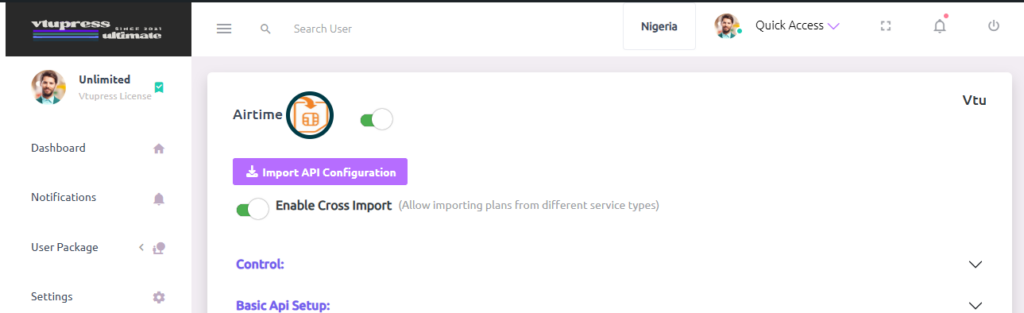
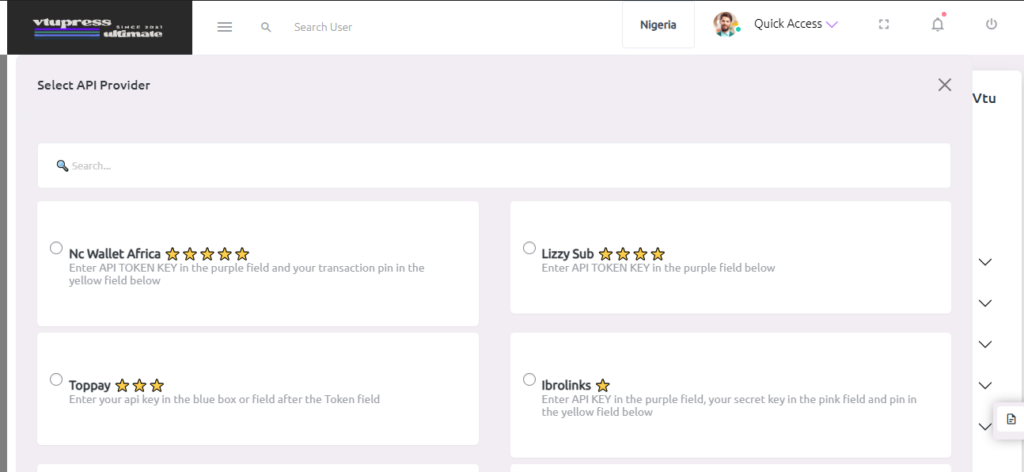
From the image above, you could just click on Import Api Configuration which will popup the list of providers to be selected, select the preferred api, scroll down to click on import/save and the settings will be pulled from our server into your setup, you should follow the info written on below the selected provider to setup your key.
See Below:
Cross Importing #

As the name implies, there are times where a provider is indexed (i.e added into our server for easy import) for a particular service type e.g Airtime Vtu but not in awoof, choosing cross importing will allow you to see and import that api provider regardless of what service type you are in so far its same service, after importing, you might need some setup to deal with (minimal) such as confirming there is no place where the provider requests for service type in the field. Mostly located in the custom data section . Like, importing provider A for airtime -> vtu into airtime -> awoof whereas there is a place in the post data field where we have type:vtu, you might need to change vtu to awoof or a recognized service type by the vendor. Having in hand the api documentation of that provider could save alot.
Concantenation #
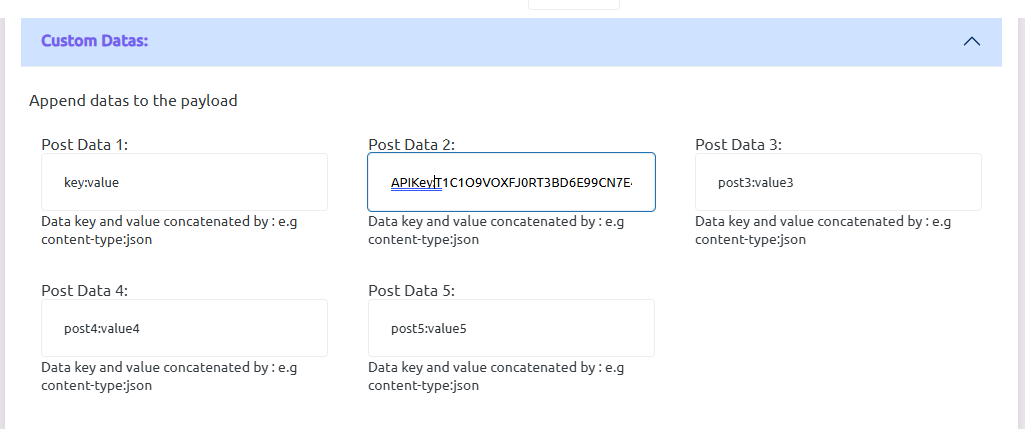
Many fields in the service settings page has something like one:two where one is a key and two is a value it is more or less like saying if status or status is true, we represent this statement with status:true so when altering, always make sure you always have that pattern where needed


