
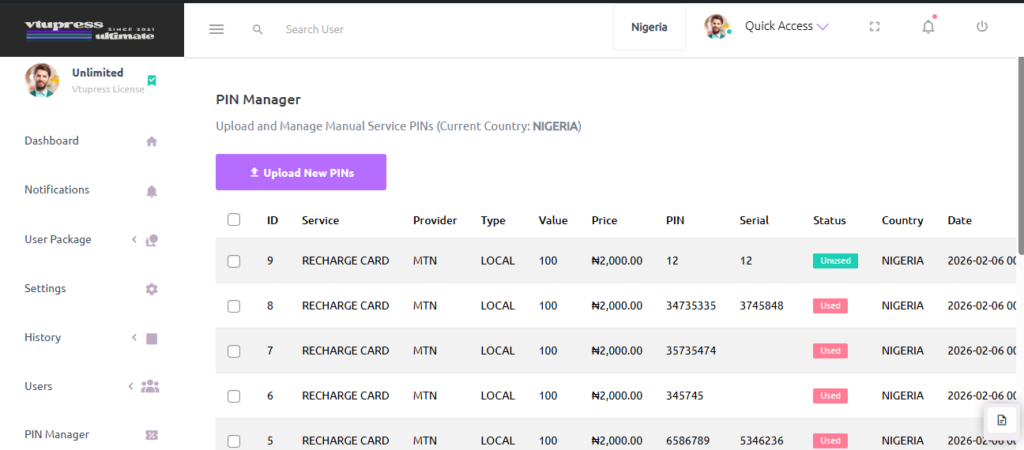
One of the wonder feature on vtupress is pin management.
Basically you can setup pin for Recharge Card, Data Card, Exam Pin! (can be extended using a hook –> see developer section)
Uploading New Pin #
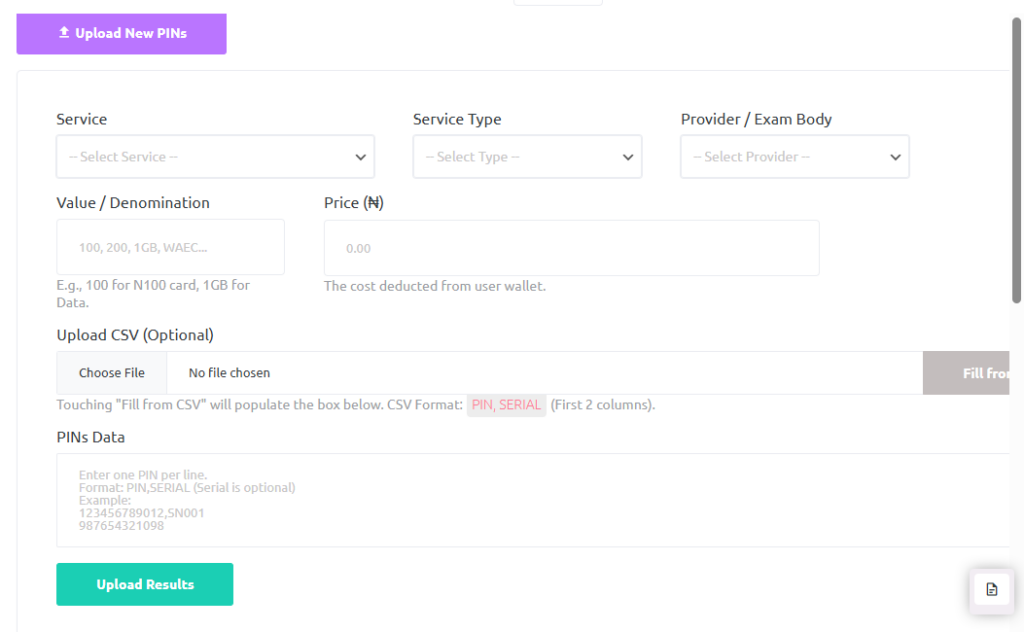
Upon clicking the Upload New Pins, a section becomes visible for setup.
Services -> Lists all services meant for pin services e.g recahrge_card
Service Type -> Lists all service types under Services e.g local
Provider -> List all providers for a service type under the service e.g mtn, glo and the likes
Value -> Here you set a value e.g 100, 200, 1GB or so telling the value of the pin
Price -> The price of that pin
Pins Data -> You can actually upload a .csv or .txt which has the pin and serial numbers. The pins should look like the one below:
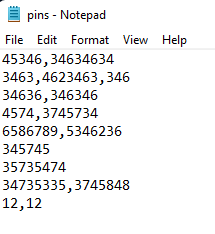
You can also choose or copy and paste the pin manually
THEN UPLOAD!
You can also make price changes or delete by selecting a pin and using the visible button


